I have a Pixel 11 Pro and a Pixel 11. Both have more raw computing power than the 12-year-old PC sitting under my desk. That PC drives two monitors easily. Neither of my phones can. And after a week of trying every workaround I could find, I’ve learned that nobody makes the hardware or software I need to do what I want to do.
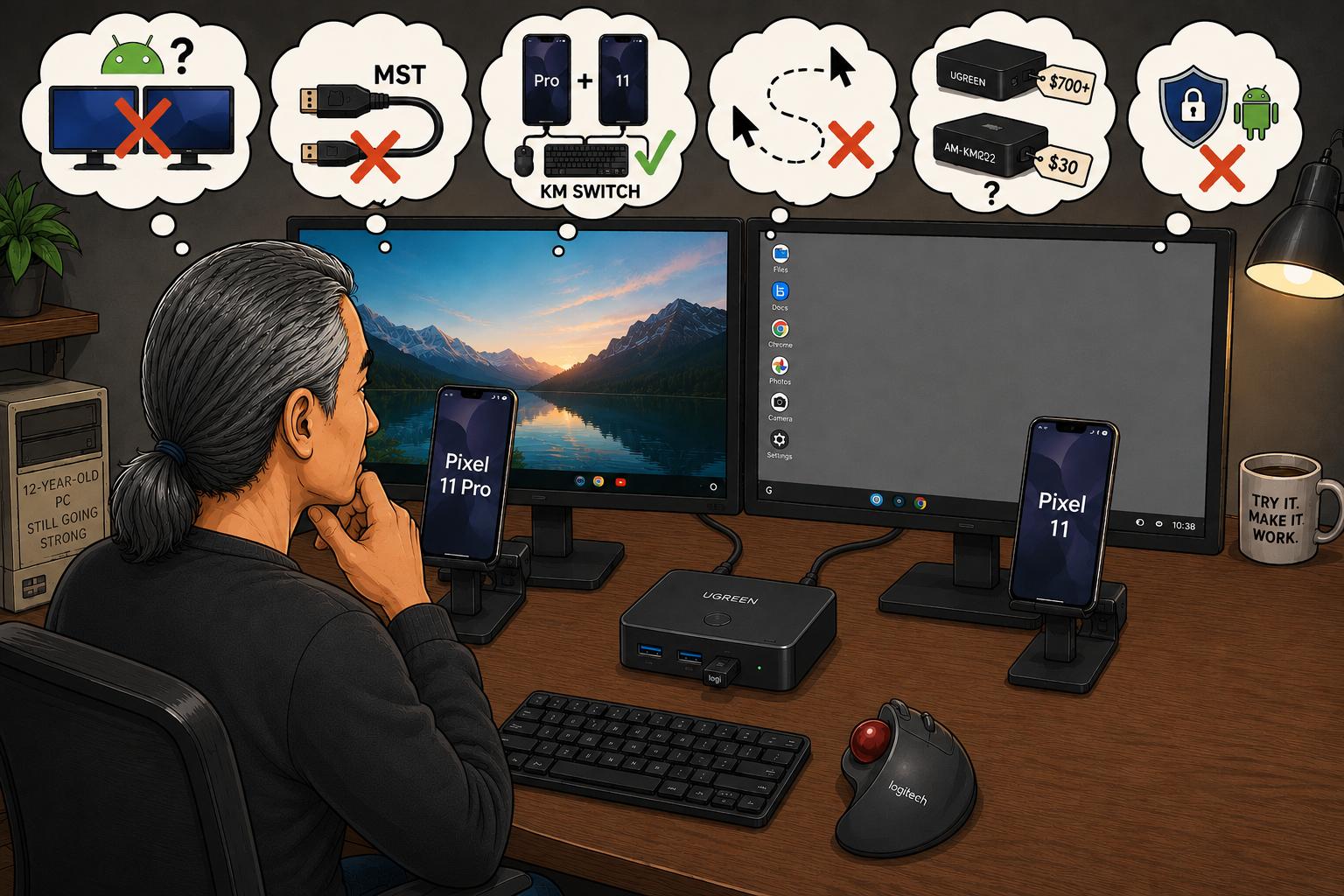
I want two monitors running off one phone. This is the same dual monitor setup I’ve been using with PCs for decades. But, Android doesn’t support extended displays across two screens. The limitation is in Android’s graphics stack. No app can get around it, because a third-party app has no access to the kernel, which is necessary if you want to supply a second video stream.
I looked into Multi-Stream Transport. That’s the same tech that lets a Windows machine daisy chain one DisplayPort connection into two separate monitor feeds. Windows and Chromebooks support MST at the driver level. Android does not. So a DisplayPort daisy chain with two MST-capable monitors ends up mirroring the image to the second monitor or it goes blank.

Next, I thought since I have two brand new phones I’ll put the Pixel 11 Pro on one monitor and the Pixel 11 on the other, and use a KM switch to move the keyboard and mouse between them. This works, since each phone only has to drive its own screen, which is what Android handles fine through desktop mode.
But there’s always a problem. I want the mouse to roam automatically between screens, the way a software KM switch like Microsoft’s Mouse Without Borders lets a keyboard and mouse move across two Windows PC desktops with no setup beyond installing a small app. Nothing like that exists for Android. The only software remotely like that must have a PC on one end if you’re going to have a phone on the other.
A hardware KM switch with mouse roaming built in would be nice. And one that senses when the cursor hits the edge of a screen and automatically hands control to the next device does exist. But it also costs over $700. I did find a device supposedly with roaming built in, the AIMOS AM-KM202, and it’s a $30 box from some unknown Chinese brand. Who knows where the keystrokes go with these no-name boxes. Neither one of these options looks desirable.
Mouse Without Borders works on Windows because Windows lets an app inject synthetic mouse and keyboard events system-wide. Android has no equivalent permission. The closest thing on Android is the Accessibility Service API, built for screen readers and assistive tools. Getting system-wide input injection on an unrooted phone from another device requires ADB, the same tool that lets a computer send input to a phone over USB. This puts a computer at the center of the setup, which defeats the point. Android treats system-wide input injection as a security risk and Google designed it as a self-contained device rather than a peer in a multi-device setup. No app can get around this.

Am I the only one out there that wants this feature? Here’s what I’m going to do. I bought a little KM switch box, the UGREEN CM662. It costs about $30 but has no auto mouse roaming feature. The box connects to each monitor via USB-A 3.0 ports and my Logitech Unifying Wireless Receiver plugs into a USB-A port on the front. All I have to do is tap a button on top of the box to switch to using my mouse and keyboard between phones.
There are some quirks I noticed right off the bat. The desktop wallpaper from the Pixel 11 doesn’t show on its monitor but it does for the Pixel 11 Pro. Switching monitors by tapping a button seems like a small thing but it is a little annoying. There is muscle memory I built up over decades of just moving my cursor to where I want and it’s hard to create a new habit of hitting a button every single time I want to switch screens.
I have yet to test sharing an external hard drive between the two phones. If this is to work I’ll need access to substantial storage because the storage on the phones is pretty limited. Given that my LaCie drive is formatted NTFS, I’ll need to reformat it to exFAT before either phone can read it. We’ll see how that goes!
A nice surprise is both phones run their respective monitors with ease. The monitors charge the phones and neither one gets hot. This is unlike my Pixel 9 Pro. When I had it plugged into these same monitors that thing started running so hot I was worried it might combust. The smoothness of running a large monitor off these new Pixel 11 phones makes me want to be able to use them as my full time desktop computer even more.
I know I could just use one giant 50″ monitor. But I recently purchased these two Asus ProArt monitors and it seems like such a waste of money to ditch them so soon. The only way I’m going to find out if this will work is to use it. It’s the same way I transitioned from using Windows to using Linux Mint. You’ll never know if something will work until you try to make it work.
Leave a Reply